
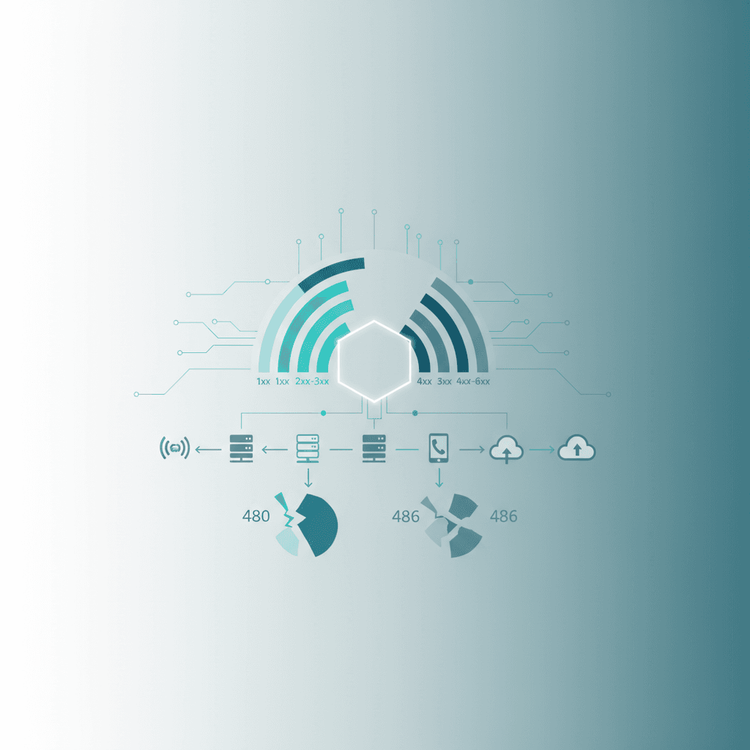
SIP (Session Initiation Protocol) response codes are three-digit numerical indicators used to communicate the status of a SIP transaction. Similar to HTTP status codes, they inform User Agents and Proxy Servers whether a request was successful, is provisional, requires redirection, or encountered an error, guiding the subsequent actions within a SIP call flow.Why They Exist / What Problem They Solve:In the complex world of VoIP, SIP response codes provide a standardized language for SIP entities to report the outcome of requests. Without them, SIP proxies, gateways, and endpoints wouldn't know if a call successfully connected, was declined, or failed due to network issues. They solve the critical problem of interoperability and effective troubleshooting, allowing systems to react predictably and engineers to pinpoint issues quickly during call setup, modification, or termination.How They Work (Step-by-Step):1. Initiation: A SIP User Agent Client (UAC) sends a request (e.g., INVITE, BYE, REGISTER) to a SIP User Agent Server (UAS) or a proxy server.2. Processing: The receiving server processes the request.3. Response Generation: Based on its ability to fulfill the request and the outcome, the server generates a three-digit SIP response code.4. Response Transmission: This response is sent back to the UAC, either directly or via intermediary proxies.5. Action: The UAC interprets the response code and takes appropriate action—proceeding with the call, retrying, displaying an error, or terminating the session.***Understanding SIP Response Code CategoriesSIP response codes are logically grouped into six categories, each indicating a distinct class of response:### 1xx Provisional: Informational ResponsesThese responses indicate that the server has received the request and is processing it, but the final response is not yet available. They are temporary and do not terminate a transaction. 100 Trying: The most basic provisional response. It indicates that the server has received an SIP INVITE message and is attempting to locate the called party. It's often sent by a proxy server to stop retransmissions from the UAC. Example Log: SIP/2.0 100 Trying Via: SIP/2.0/UDP 192.168.1.100:5060;branch=z9hG4bK-abcde From: "Alice" sip:[email protected];tag=12345 To: sip:[email protected] Call-ID: callid123 CSeq: 1 INVITE 180 Ringing: Indicates that the called party's phone is ringing. 183 Session Progress: Used when the called party is being alerted, and the UAS wants to send early media (e.g., ringback tone or announcement) to the UAC before the 200 OK.### 2xx Success: Request Successfully Received, Understood, and AcceptedThese responses indicate that the request was successfully received, understood, and accepted. This is the goal for most SIP transactions. 200 OK: The universal success code. For an INVITE, it means the called party has answered. For other requests like BYE or REGISTER, it signifies successful completion. Example Log (INVITE success): SIP/2.0 200 OK Via: SIP/2.0/UDP 192.168.1.100:5060;branch=z9hG4bK-abcde From: "Alice" sip:[email protected];tag=12345 To: "Bob" sip:[email protected];tag=67890 Call-ID: callid123 CSeq: 1 INVITE Contact: sip:[email protected]:5060 Content-Type: application/sdp Content-Length: ... Following a 200 OK for an INVITE, the UAC must send an ACK to complete the three-way handshake and establish the media session.### 3xx Redirection: Further Action NeededThese codes indicate that the user or service is no longer at the address specified in the request, and the request should be tried at a new location. 302 Moved Temporarily: The called party has temporarily moved, and the request should be retried at the Contact URI provided in the response.### 4xx Client Error: Request Failed Due to Client-Side IssueThese are arguably the most frequently encountered common SIP errors in day-to-day operations and troubleshooting. They indicate that the request could not be fulfilled due to an issue originating from the client (UAC) or the request itself. 400 Bad Request: The server couldn't understand the request due to malformed syntax, missing headers, or an invalid URI. Example Log: SIP/2.0 400 Bad Request Via: SIP/2.0/UDP 192.168.1.100:5060;branch=z9hG4bK-fgahi From: "Alice" sip:[email protected];tag=12345 To: sip:[email protected] Call-ID: malformedcallid CSeq: 1 INVITE 401 Unauthorized: The request requires user authentication. The server includes a WWW-Authenticate header specifying the authentication challenge. 403 Forbidden: The server understood the request but refuses to fulfill it. This often happens due to ACLs (Access Control Lists), call routing policies, or if the calling party is not allowed to reach the destination. 404 Not Found: The server has no knowledge of the called party (the To header URI). This is a very common error, indicating incorrect dialing, an unregistered extension, or a routing issue. Example Scenario: A user dials 12345 but there is no SIP endpoint or route configured for that extension. 408 Request Timeout: The server could not produce a response within a suitable time. This might be due to network delays preventing the INVITE from reaching the UAS, or the UAS not responding in time. 480 Temporarily Unavailable vs. 486 Busy Here: This is a key distinction for troubleshooting [sip 480 vs 486]. 480 Temporarily Unavailable: The called party is currently unavailable. This could mean the user is not registered, the device is offline, or the user is on DND (Do Not Disturb). The implication is that retrying later might succeed. Example Log: SIP/2.0 480 Temporarily Unavailable Via: SIP/2.0/UDP 192.168.1.100:5060;branch=z9hG4bK-abcde From: "Alice" sip:[email protected];tag=12345 To: sip:[email protected];tag=09876 Call-ID: callid123 CSeq: 1 INVITE 486 Busy Here: The called party is currently busy and doesn't wish to take another call. Unlike 480, the device is online and registered, but actively refusing the new call (e.g., already on a call, or explicitly declining). This often triggers a busy signal for the caller. Example Log: SIP/2.0 486 Busy Here Via: SIP/2.0/UDP 192.168.1.100:5060;branch=z9hG4bK-abcde From: "Alice" sip:[email protected];tag=12345 To: sip:[email protected];tag=11223 Call-ID: callid123 CSeq: 1 INVITE Key Difference: 480 Temporarily Unavailable implies the user couldn't be reached, while 486 Busy Here implies the user chose not to be reached (or was actively engaged).### 5xx Server Error: Request Failed Due to Server-Side IssueThese codes indicate that the server encountered an error or was unable to fulfill an apparently valid request. 500 Server Internal Error: A generic error indicating that the server itself encountered an unexpected condition. This is often a catch-all for unhandled exceptions or bugs in the server software. 503 Service Unavailable: The server is temporarily unable to handle the request due to maintenance, overload, or being down. Retrying later might work. Example Log: SIP/2.0 503 Service Unavailable Via: SIP/2.0/UDP 192.168.1.100:5060;branch=z9hG4bK-mnop From: "Alice" sip:[email protected];tag=12345 To: sip:[email protected] Call-ID: callid503 CSeq: 1 INVITE### 6xx Global Failure: Call Cannot Be CompletedThese codes indicate that the server understands the request, but the call cannot be completed to any destination. These are "final" failures. 603 Decline: The called party does not wish to take this call. It's similar to 486 Busy Here but signifies a more definite refusal, often sent directly by the UA, and might imply that no alternate destinations should be tried. Example Scenario: A user explicitly declines an incoming call from their phone's UI.***SIP Call Flow Example with a 480 ErrorLet's illustrate a basic SIP call flow explained scenario where Alice tries to call Bob, but Bob's phone is unregistered.mermaidsequenceDiagram participant Alice as UAC (Alice's Phone) participant PBX as SIP Proxy/Registrar participant Bob as UAS (Bob's Phone) Alice->>PBX: INVITE sip:[email protected] PBX->>Alice: 100 Trying PBX-->>Bob: INVITE sip:[email protected] (Attempt to route) Note over PBX,Bob: Bob's phone is not registered / offline. PBX--xBob: (No route/response from Bob) PBX->>Alice: 480 Temporarily Unavailable Alice->>PBX: ACK (Acknowledging 480) Note over Alice: Alice's phone displays "Unavailable"In
this diagram, Alice initiates a call. The PBX attempts to reach Bob but finds no registered device. Instead of ringing, the PBX immediately responds with 480 Temporarily Unavailable to Alice, indicating Bob cannot be reached at this moment.Common Mistakes When Dealing with SIP Response Codes:1. Ignoring Provisional Responses: Overlooking 1xx responses can lead to retransmissions or timeouts if the client isn't correctly handling the call progress.2. Misinterpreting 4xx vs. 5xx: Confusing a client error (4xx) with a server error (5xx) can send troubleshooting down the wrong path. A 404 means the number doesn't exist to the server, while a 503 means the server itself can't process any requests.3. Not Checking All Headers: The response code is just one piece of the puzzle. Headers like Via, From, To, Call-ID, and Reason (if present) provide crucial context.4. Assuming the First Error is the Root Cause: Sometimes, an initial error cascades into others. Always trace the full SIP call flow explained to understand the sequence of events.5. Lack of Authentication Handling: Failing to respond to a 401 Unauthorized with proper credentials (via a new INVITE with an Authorization header) will prevent calls.Troubleshooting Matrix (A Quick Guide):When you encounter an issue, use the response code as your starting point: 1xx (Provisional): Generally good, indicating progress. If stuck on 1xx, check network latency or if the called party's device is truly ringing. 200 OK (Success): Great! If there's no audio after 200 OK, look at SDP in the INVITE/200 OK and network firewall issues (RTP media path). 400-403 (Client Error): 400 Bad Request: Syntax error. Review SIP messages for malformed headers or URIs. 401 Unauthorized / 403 Forbidden: Authentication or authorization failure. Check user credentials, realm, and call routing permissions. 404 Not Found: Destination URI unknown. Verify dialed number, routing tables, and registration status. 408 Request Timeout: Network path issues, firewall blocking SIP traffic, or UAS simply not responding. 480 Temporarily Unavailable: Called party unregistered, offline, or DND. Check registration status of the callee. 486 Busy Here: Called party is active on another call or manually declined. Verify call limits or user behavior. 5xx (Server Error): 500 Server Internal Error: Check server logs for application errors, bugs, or database issues. 503 Service Unavailable: Server overloaded, undergoing maintenance, or crashed. Check server health, resources, and restart if necessary.Related Terms:To deepen your understanding of SIP, explore these topics: SIP Call Flow Explained SIP INVITE message Common SIP errorsBy mastering SIP response codes, you gain a powerful tool for diagnosing and resolving issues, ensuring reliable and efficient VoIP communications.
Platform
SIP Response Codes Explained (1xx-6xx) With Real Examples
Demystify SIP response codes (1xx-6xx) with practical examples. Understand their categories, troubleshoot common SIP errors like 480 vs 486, and optimize your VoIP deployments.

Product Team
•5 min read
Tags:sipvoiptroubleshootingtelecomerrors