

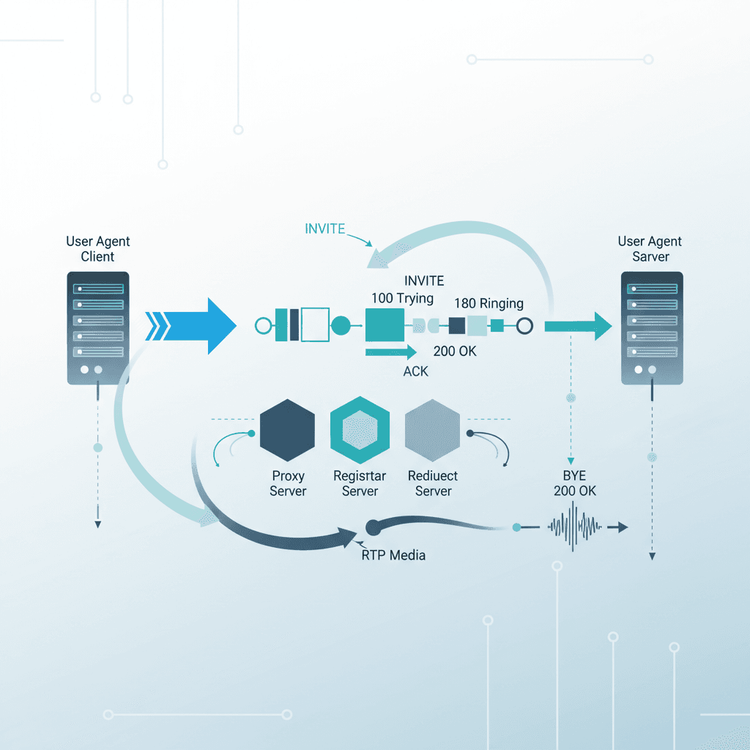
The Session Initiation Protocol (SIP) is the backbone of modern VoIP communications, defining how multimedia sessions—like voice and video calls—are set up, modified, and torn down over IP networks. A SIP call flow is the precise sequence of messages exchanged between various SIP entities (User Agents, Proxies, Registrars) to manage the lifecycle of a communication session. Mastering this flow is essential for anyone working with VoIP.
Why Understanding SIP Call Flow is Crucial
SIP exists to provide a standardized, scalable, and flexible method for managing real-time communication sessions. Before SIP, establishing a phone call over a packet-switched network was often proprietary and complex. SIP solves this problem by offering a simple, text-based signaling protocol that allows devices from different vendors to interoperably set up calls, manage participants, and control session parameters. For engineers, understanding the call flow is critical for troubleshooting, optimizing network performance, and securely integrating new services.
How SIP Call Flow Works: A Step-by-Step Guide
Let's walk through the core SIP messages that constitute a typical call, from initiation to termination. While we'll focus on a basic scenario, we'll also touch upon key variations like authentication and call forking.
1. Basic Call Setup (INVITE to ACK)
a. INVITE Request:
The call begins when User Agent A (UAC - User Agent Client) wants to initiate a call with User Agent B (UAS - User Agent Server). UAC sends an INVITE request. This message contains crucial information, including the callee's address (SIP URI), the caller's address, and a Session Description Protocol (SDP) payload. The SDP describes the media capabilities of the caller (e.g., supported codecs, IP address, port for RTP). For more details, see What is SIP INVITE?.
INVITE sip:[email protected] SIP/2.0
Via: SIP/2.0/UDP caller.example.com:5060;branch=z9hG4bK.abcd
From: "User A" <sip:[email protected]>;tag=12345
To: "User B" <sip:[email protected]>
Call-ID: [email protected]
CSeq: 1 INVITE
Contact: <sip:[email protected]>
Content-Type: application/sdp
Content-Length: ...

v=0
o=userA 34567 34567 IN IP4 caller.example.com
s=-
c=IN IP4 caller.example.com
t=0 0
m=audio 5004 RTP/AVP 0 8
a=rtpmap:0 PCMU/8000
a=rtpmap:8 PCMA/8000
b. 100 Trying (Provisional Response):
Upon receiving the INVITE, the SIP proxy server (or the UAS itself if directly reachable) immediately sends a 100 Trying response. This provisional response indicates that the request has been received and is being processed, preventing retransmissions from the UAC.
c. 180 Ringing / 183 Session Progress (Provisional Response):
If the INVITE reaches User Agent B and it begins to ring, User Agent B (or its proxy) sends a 180 Ringing response. This tells User A that User B's phone is alerting. Alternatively, a 183 Session Progress can be sent, often including SDP to establish early media (e.g., a ring-back tone generated by the network, or an IVR message).
d. 200 OK (Success Response):
When User B answers the call, User Agent B sends a 200 OK response. This message also contains an SDP payload from User B, describing its media capabilities and the port/IP address where it expects to receive RTP (Real-time Transport Protocol) media. At this point, the session is technically established.
SIP/2.0 200 OK
Via: SIP/2.0/UDP caller.example.com:5060;branch=z9hG4bK.abcd
From: "User A" <sip:[email protected]>;tag=12345
To: "User B" <sip:[email protected]>;tag=67890
Call-ID: [email protected]
CSeq: 1 INVITE
Contact: <sip:[email protected]>
Content-Type: application/sdp
Content-Length: ...

v=0
o=userB 98765 98765 IN IP4 callee.example.com
s=-
c=IN IP4 callee.example.com
t=0 0
m=audio 6000 RTP/AVP 0 8
a=rtpmap:0 PCMU/8000
a=rtpmap:8 PCMA/8000
e. ACK Request:
Upon receiving the 200 OK, User Agent A sends an ACK request. This final acknowledgment completes the INVITE transaction, confirming that User A has received the 200 OK and the session parameters. The ACK does not carry an SDP body but its absence can cause the call to hang or drop.
2. Media Exchange (RTP)
After the ACK, the signaling phase for call setup is complete. Both User Agents now know each other's IP addresses and ports for media exchange (from the SDP in the INVITE and 200 OK). RTP packets, carrying the actual voice or video data, flow directly between User A and User B (or via a media proxy/SBC if NAT traversal or transcoding is required).
3. Call Termination (BYE)
When either User A or User B wishes to end the call, they send a BYE request. For instance, if User A hangs up:
BYE sip:[email protected] SIP/2.0
Via: SIP/2.0/UDP caller.example.com:5060;branch=z9hG4bK.efgh
From: "User A" <sip:[email protected]>;tag=12345
To: "User B" <sip:[email protected]>;tag=67890
Call-ID: [email protected]
CSeq: 2 BYE
Contact: <sip:[email protected]>
Content-Length: 0
b. 200 OK (BYE):
The receiving User Agent (User B in this case) responds with a 200 OK to confirm that the BYE has been processed and the call is terminated. Both ends can then release resources.
Call with Authentication
Often, when an INVITE hits a SIP proxy, the proxy might need to authenticate the caller. In such cases, it responds with a 407 Proxy Authentication Required (if challenging a proxy) or 401 Unauthorized (if challenging the UAS directly), including a WWW-Authenticate or Proxy-Authenticate header. The UAC then re-sends the INVITE with an Authorization header containing the credentials.
Forking Example
SIP proxies can perform forking. If User A calls sip:[email protected], the proxy might be configured to send INVITE requests simultaneously to multiple registered endpoints for User B (e.g., their desk phone, mobile app, and softphone). The first device to answer sends back a 200 OK, and the proxy cancels the pending INVITE requests to other endpoints with CANCEL messages.
Diagram: Basic SIP Call Flow (INVITE-BYE)
This Mermaid sequence diagram illustrates the core interaction:
sequenceDiagram
    participant UAC as User A
    participant Proxy as SIP Proxy
    participant UAS as User B

    UAC->>Proxy: INVITE (sip:[email protected])
    Proxy->>UAS: INVITE (sip:[email protected])
    Proxy-->>UAC: 100 Trying
    UAS-->>Proxy: 180 Ringing
    Proxy-->>UAC: 180 Ringing
    UAS-->>Proxy: 200 OK (SDP for User B)
    Proxy-->>UAC: 200 OK (SDP for User B)
    UAC->>Proxy: ACK
    Proxy->>UAS: ACK
    Note over UAC,UAS: RTP Media Flow
    UAC->>Proxy: BYE
    Proxy->>UAS: BYE
    UAS-->>Proxy: 200 OK
    Proxy-->>UAC: 200 OK
    Note over UAC,UAS: Call Ended
Common Mistakes and Troubleshooting Tips
Understanding the call flow makes troubleshooting much easier. Here are common issues:
- Missing
ACKafter200 OK: This often results in a call that connects for 32 seconds (due to INVITE retransmission timers) and then drops. Always check for theACK. - NAT Traversal Issues: SIP headers (Via, Contact) and SDP (c= line) contain IP addresses. If these reflect private IPs behind a NAT, the media (RTP) or even signaling may fail. Solutions include STUN/TURN, ICE, or a Session Border Controller (SBC).
- Incorrect Routing (
404 Not Found): This means the SIP proxy couldn't find the called party. Check user registration on the registrar and routing rules on the proxy. - Authentication Failures (
401/407 Unauthorized): The UAC didn't provide correct credentials or failed to respond to a challenge. Verify username/password and realm settings. - Codec Mismatch: If the SDP offers and answers don't share a common media codec, the call may connect but have no audio. Ensure both parties support at least one common codec.
- Firewall Blocks: SIP (UDP/TCP 5060, 5061) and RTP (typically UDP ports 10000-20000) traffic must be allowed through firewalls. Blocked ports cause no audio or failed calls.
Troubleshooting: Use tools like Wireshark to capture network traffic and analyze SIP messages and RTP streams. SIP debug logs from your proxy or IP PBX are invaluable. Familiarize yourself with Understanding SIP Response Codes to quickly diagnose issues.
Related Terms
- What is SIP?: The foundational protocol.
- RTP (Real-time Transport Protocol): Carries the actual voice/video media during a call.
- SDP (Session Description Protocol): Describes media parameters within SIP messages.
- SIP Proxy Server: Routes SIP requests, enforces policies, and can provide features like authentication or forking.
- SIP Registrar: Stores the current location (IP address and port) of a User Agent.
- User Agent (UA): An endpoint device like a softphone or IP phone that initiates or receives SIP calls.